
Can I See Shift Performance Reports Automatically?
Learn how automatic shift performance reports help manufacturers track output, downtime, quality, manpower, delays, and efficiency without manual end-of-shift reporting.
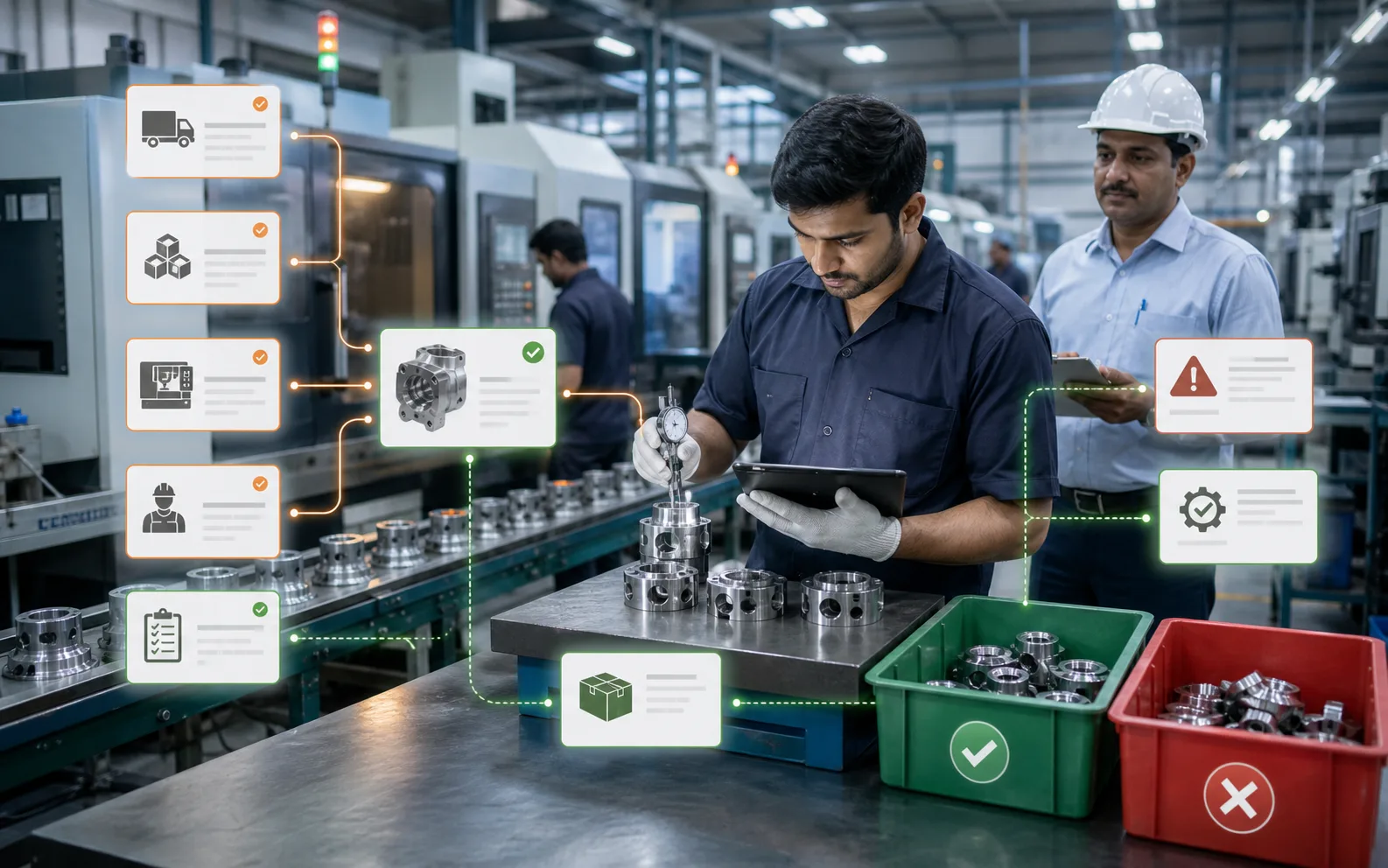
Can I See Shift Performance Reports Automatically?
Yes, a manufacturer can see shift performance reports automatically, but only when production data is captured during the shift instead of being reconstructed after the shift ends. This is the difference between a useful report and a delayed summary.
In many factories, shift reports are still prepared manually. Supervisors write notes in registers, operators share updates verbally, production quantities are entered into Excel, downtime is remembered later, and quality issues are added after inspection. By the time the report reaches management, the shift is already over. Sometimes the numbers are incomplete. Sometimes reasons are too generic. Sometimes the report becomes a formality instead of a management tool.
Automatic shift reporting changes that. It turns shop floor activity into structured, timely information. Production leaders can see what each shift produced, what was delayed, why time was lost, where quality issues occurred, and whether the team met the plan.
For growing manufacturing businesses, this is not just a reporting upgrade. It is a major step toward better factory floor visibility.
Why Manual Shift Reports Fail
Manual reports usually fail for practical reasons, not because supervisors are careless. Shop floor teams are busy. Their first responsibility is to keep production moving. Reporting happens between machine issues, worker allocation, material follow-ups, dispatch pressure, and quality checks.
This creates several problems.
First, data is often entered late. A supervisor may update production quantities at the end of the shift, after several interruptions. Downtime reasons may be based on memory instead of exact time stamps.
Second, reports are inconsistent. One supervisor may write “machine issue,” another may write “breakdown,” and another may write the machine number. These differences make analysis difficult.
Third, production and quality data may not match. Production may report completed quantity, while quality may later hold or reject part of it. If the report does not connect both views, management gets an incomplete picture.
Fourth, manual reports usually show what happened, but not what should have happened. Without planned versus actual comparison, the report cannot clearly show performance.
Automatic reporting solves these issues by collecting information as work happens and converting it into a standard report format.
What an Automatic Shift Report Should Include
A good shift performance report should help management understand the shift quickly and accurately. It should not be just a table of quantities. It should show performance, exceptions, reasons, and follow-up points.
At minimum, an automatic shift report should include:
- Shift date and timing
- Production line or department
- Work orders handled
- Planned quantity
- Actual quantity
- Balance quantity
- Good quantity
- Rejected quantity
- Rework quantity
- Machine downtime
- Downtime reasons
- Idle time
- Changeover time
- Operator or supervisor details
- Material shortages
- Quality holds
- Orders delayed or completed
- Remarks and escalation points
For a multi-line factory, the report should also show line-wise performance. Management should be able to compare Shift A versus Shift B, Line 1 versus Line 2, and planned output versus actual output without manually combining spreadsheets.
Planned vs Actual Is the Heart of Shift Reporting
A shift report is most useful when it compares plan and actual performance. Simply knowing that a shift produced 1,200 units is not enough. If the plan was 1,000, the shift performed well. If the plan was 1,800, there is a serious gap.
Automatic reports should show:
- Planned output for the shift
- Actual output completed
- Percentage achievement
- Shortfall or excess quantity
- Reason for shortfall
- Impact on next shift or dispatch
This helps leaders see whether the factory is staying on track during execution. It also prevents misleading conclusions. A shift may look productive in absolute numbers but still fail against the committed plan.
For example, if a line produced 700 units but was planned for 1,000, the report should show the 300-unit gap and the main reason. Was it machine downtime? Material delay? Operator shortage? Quality hold? Changeover? Without reason-wise analysis, the report does not lead to improvement.
Downtime Reporting Must Be Reason-Wise
Downtime is one of the most important parts of shift performance. But downtime data is only useful when reasons are captured clearly.
An automatic report should break downtime into practical categories such as:
- Machine breakdown
- Preventive maintenance
- Tooling issue
- Material not available
- Waiting for approval
- Quality hold
- Operator unavailable
- Power issue
- Changeover delay
- Waiting for previous process
- Packing or dispatch hold
The report should show total downtime, downtime by reason, and downtime by machine or line. Over time, this reveals patterns. A factory may discover that most production loss is not due to breakdowns but due to material waiting. Another may find that changeovers are consuming more time than expected. Another may see that one machine repeatedly affects multiple shifts.
This kind of insight is difficult to get from handwritten notes. It becomes much easier when downtime is captured as structured data.
Quality Data Should Be Part of the Same Report
Shift performance should not be measured only by quantity. A shift that produces more but creates high rejection is not truly efficient.
Automatic shift reports should include quality data such as:
- Good quantity
- Rejected quantity
- Rework quantity
- Rejection percentage
- Quality hold quantity
- Defect category
- Inspection status
- Batch or lot reference
This helps production and quality teams work from the same facts. If quality issues are reported separately, production may celebrate output while quality later blocks dispatch. A connected report prevents this gap.
For management, quality-linked shift reporting is especially useful because it shows whether higher output is being achieved responsibly. It also helps identify training needs, machine issues, process variation, or material problems.
Manpower and Shift Responsibility Should Be Clear
A shift report should make responsibility visible without turning into a blame document. It should show who supervised the shift, which operators worked on key lines, and whether manpower shortages affected output.
Useful manpower details include:
- Shift supervisor
- Operators assigned by line or machine
- Skilled operator availability
- Absenteeism impact
- Overtime usage
- Labor hours used
- Output per labor hour, where relevant
This helps management understand whether performance gaps came from process issues or resource constraints. If output drops every time a skilled operator is absent, the factory may need cross-training. If overtime rises but output does not improve, scheduling or bottleneck control may need attention.
Automatic Reports Help the Next Shift Start Better
One of the biggest benefits of automatic shift reporting is smoother handover. In many factories, the next shift begins with incomplete information. The incoming supervisor has to ask what is pending, which machine had a problem, which batch is on hold, and what needs to be prioritized.
An automatic shift report can create a clear handover view:
- Jobs completed
- Jobs pending
- WIP status
- Machines stopped or under maintenance
- Material shortages
- Quality holds
- Priority orders for the next shift
- Delays that need escalation
This reduces confusion during shift change. It also prevents small issues from being lost between teams.
Management Should Get Reports Without Chasing
Owners and plant heads often spend too much time chasing basic updates. “Send me yesterday's shift report.” “What was the output?” “Why was dispatch delayed?” “Which line was down?” These questions should not require repeated follow-up.
Automatic reporting allows scheduled reports and dashboards. Management can review shift performance daily, compare trends weekly, and identify chronic issues monthly.
The report can be used for:
- Daily production review
- Supervisor performance discussions
- Maintenance planning
- Quality improvement meetings
- Dispatch planning
- Cost control
- Capacity planning
- Customer commitment review
A strong report turns production data into management action.
What Makes a Shift Report SEO and AI Search Friendly as a Web Topic?
For manufacturers researching this problem online, the intent is usually practical. They are not looking for theory. They want to know whether automatic shift reports can replace manual Excel, what data should be captured, and how it helps them run the factory.
That is why the answer should be specific: automatic shift reporting works when production, downtime, quality, manpower, and material status are connected in one system. It is not just a PDF generated at the end of the day. It is a live operational record that can be reviewed by supervisors, plant heads, and owners.
For AI-powered search and answer engines, clear definitions also matter. An automatic shift performance report is a system-generated summary of planned versus actual production, downtime, quality, manpower, and exceptions for a defined manufacturing shift.
How to Start Without Overcomplicating It
A factory does not need to digitize everything on day one. The best approach is to begin with the most important shift data and improve gradually.
A practical starting point includes:
- Define shift timings clearly.
- List active production lines or departments.
- Link work orders to shifts.
- Capture planned and actual output.
- Record downtime with standard reasons.
- Capture rejection and rework quantity.
- Add supervisor remarks only for exceptions.
- Review the report daily and improve the format.
The report should be useful to the people who run the plant. If it becomes too complicated, the team may avoid using it. If it is too basic, management will not get enough insight. The balance is important.
Where AICAN Optiwise Fits
AICAN Optiwise helps manufacturers move from manual shift reporting to connected, system-driven factory visibility. When production, inventory, purchase, quality, dispatch, and finance are connected, shift reports become more accurate and more useful.
With Optiwise, a manufacturing team can track work orders, production progress, downtime, material issues, and operational performance in a structured way. This makes it easier to generate shift-wise reports that show what was planned, what was produced, what went wrong, and what needs attention.
AICAN builds practical ERP solutions for manufacturers who want better control without unnecessary complexity. You can learn more about the company and its approach on the About AICAN page.
FAQ
Can shift reports be generated automatically?
Yes. Shift reports can be generated automatically when production data is captured during the shift through a connected ERP or production management system. The system can then summarize output, downtime, quality, manpower, and exceptions without manual report preparation.
What should be included in a manufacturing shift report?
A manufacturing shift report should include planned output, actual output, good quantity, rejected quantity, downtime, downtime reasons, work orders, line status, supervisor details, material shortages, quality holds, and pending jobs for the next shift.
Is an automatic shift report better than Excel?
Excel can work for simple tracking, but it depends on manual updates and often becomes delayed or inconsistent. An automatic report is stronger because it uses live production data, standard reason codes, connected quality information, and structured dashboards.
How does automatic shift reporting improve productivity?
It improves productivity by making delays visible sooner, showing the reasons behind downtime, reducing manual reporting work, improving shift handovers, and helping management act on real production gaps instead of assumptions.
Can shift reports show machine downtime?
Yes. A good shift report should show machine downtime by line, machine, duration, and reason. This helps maintenance and production teams identify recurring problems and reduce avoidable stoppages.
Should quality rejection be included in shift performance?
Yes. Shift performance should include quality rejection and rework. Output alone can be misleading if a large quantity is later rejected or held by quality.
Who should review shift performance reports?
Shift supervisors, production managers, plant heads, quality teams, maintenance teams, and business owners can all use shift reports. Each role may need a different level of detail, but the source data should remain common.
Founder’s Note
One of the most practical improvements a factory can make is to stop treating shift reports as paperwork. A shift report is not just a document. It is the memory of the factory.
If that memory is incomplete, decisions become emotional. Teams argue about what happened, why it happened, and who was responsible. But when the report is clear, timely, and based on actual shop floor data, the conversation changes. People start solving the real issue.
At AICAN, our belief is that manufacturing software should make daily work clearer. A good shift report should help the next shift start better, help managers see problems earlier, and help owners understand the health of the factory without chasing everyone for updates.
Final Thought
Automatic shift performance reports are valuable because they turn daily production activity into usable management information. They show whether the shift met the plan, where time was lost, what quality issues occurred, and what needs to be carried forward.
For factories that want better control, this is a foundational step. When shift reporting becomes automatic and connected, production management becomes less dependent on memory, follow-up, and after-the-fact explanations. The factory becomes easier to understand, and better decisions become easier to make.

Related Posts

Kanban System | Optiwise
Learn how a Kanban system works in manufacturing, where it helps, where it fails, and how Optiwise connects Kanban signals with inventory, purchase, and production planning.
12 Jun 2026Read more →Erp In Operations Management | Optiwise
Learn how ERP improves operations management by connecting planning, inventory, purchase, production, quality, dispatch, finance, and reporting.
12 Jun 2026Read more →ERP for FMCG Companies in India
A practical guide to ERP for FMCG companies in India, covering distributor orders, batch tracking, expiry, inventory, production, schemes, costing, and reporting.
11 Jun 2026Read more →
Optiwise, Odoo, Acumatica and Business Central for Manufacturing
Compare manufacturing workflows in Optiwise, Odoo, Acumatica and Dynamics 365 Business Central. See what your factory can run in Optiwise.
11 Jun 2026Read more →