
What's the Learning Curve for Using Vision Inspection Systems?
A practical guide to the learning curve for computer vision inspection systems, including operator training, quality review, maintenance routines, dashboards, adoption phases, and change management.
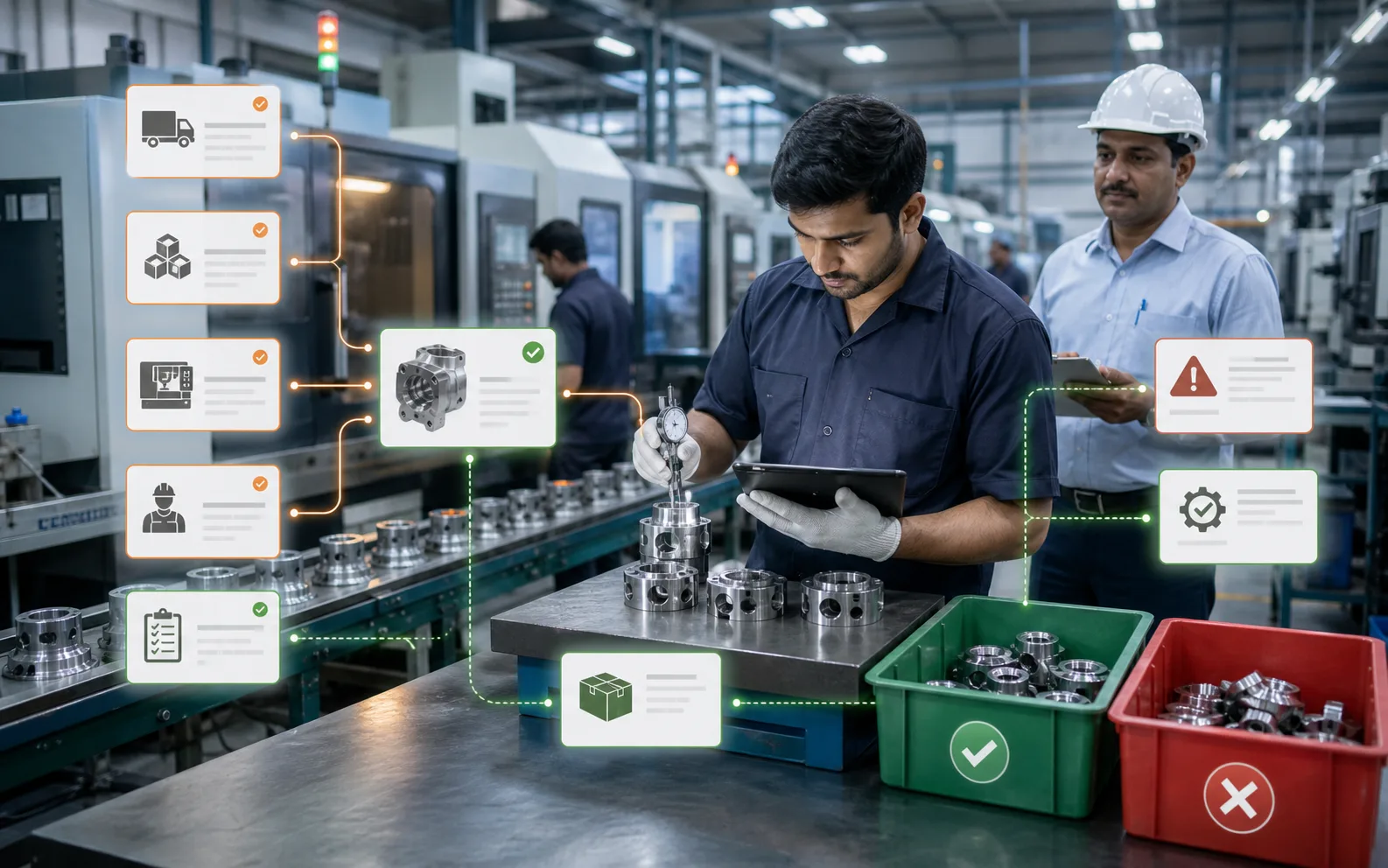
The learning curve should be short for operators and deeper for the people who own quality.
A good vision inspection system should not feel like a research tool on the shop floor. Operators should be able to understand the main screen quickly: pass, fail, warning, rejected item, required action.
But the full learning curve depends on role. Operators need workflow clarity. Quality teams need inspection understanding. Maintenance needs hardware awareness. Supervisors need adoption discipline. Managers need dashboard interpretation.
When these learning needs are separated properly, adoption becomes much easier.
What operators need to learn first
Operators need practical answers:
- What is the system checking?
- What does the screen mean?
- What happens when a part fails?
- Where does the rejected part go?
- What should be done during repeated rejects?
- Can the line continue?
- Who should be called?
- What should not be touched?
Most operator training should happen on the actual line, with real good and bad samples. A classroom explanation is useful, but shop-floor practice is what builds confidence.
The best operator interface uses simple language, clear status, and visual evidence. If operators need to read a long manual during production, the user experience is not ready.
The first few shifts matter
The learning curve is steepest during the first live shifts. Operators may be unsure whether to trust the system. Quality teams may still be validating results. Supervisors may be watching for bypass behaviour. Maintenance may be learning what normal hardware status looks like.
During this period, support should be close.
A practical first-week plan includes:
- Shift-wise walkthroughs
- Real examples of pass and fail
- Immediate review of repeated false rejects
- Clear escalation contacts
- Daily quality review
- Simple SOP near the station
- Quick correction of confusing screen messages
This prevents small confusion from becoming resistance.
Quality teams have a deeper learning curve
Quality teams need to learn how the system makes inspection decisions. They should understand defect categories, sample requirements, false reject review, evidence storage, and change control.
They should also learn how to interpret trends. A rise in rejection may mean the process is worsening, the material changed, the lighting shifted, or the inspection rule is too tight. Quality must be able to separate these possibilities.
Computer vision gives quality teams more evidence. But evidence still needs judgement.
Maintenance learning is mostly physical
Maintenance teams should learn what keeps the system stable:
- Camera mount position
- Lens and enclosure cleaning
- Light condition
- Cable and connector health
- Reject mechanism alignment
- Basic restart procedure
- When to call support
A vision system may look like software, but many problems are physical. A small camera shift can create big inspection issues. A dirty cover can increase false rejects. A loose cable can stop the station.
Maintenance training makes the system less fragile.
Supervisors need to learn adoption signals
Supervisors should watch how people use the system, not only whether it is installed.
Useful adoption signals include:
- Operators respond correctly to alerts
- Rejected parts are handled consistently
- Manual overrides are logged
- False rejects are reported, not ignored
- Quality reviews images regularly
- Changeovers follow recipe confirmation
- Shift reports include inspection trends
This is where connected dashboards help. AICAN Optiwise can bring inspection data into the same operating view as production, inventory, quality, and dispatch.
Managers need to learn what the data means
Managers do not need to learn every setting. They need to understand what the data can and cannot prove.
For example, a higher rejection count may mean the system is catching hidden defects, not that production suddenly got worse. A lower rejection count may be good, or it may mean the system is not checking correctly after changeover.
Management learning should focus on:
- Baseline versus post-deployment metrics
- Defect trends
- False reject tracking
- Escaped defect tracking
- Rework and scrap impact
- Operator adoption
- Maintenance health
- ROI review
How long does adoption take?
Basic use can be learned quickly if the system is designed well. Stable adoption usually takes longer because the team needs to build trust.
A practical adoption path looks like this:
- Day 1: Operators understand screens and actions
- Week 1: Quality validates results and handles early tuning
- Month 1: Teams understand defect trends and false reject patterns
- Month 2-3: Data starts influencing process improvement and ROI review
The exact timeline depends on complexity, number of lines, product variation, and support quality.
What makes the learning curve harder
Adoption becomes difficult when:
- The interface is too technical
- Alerts are unclear
- False rejects are frequent
- Operators are blamed for system issues
- No one owns tuning
- Quality does not review evidence
- Maintenance is not trained
- Changeover process is weak
- Data is not connected to production workflows
These are avoidable problems. A good rollout designs for learning, not just installation.
What makes the learning curve easier
The learning curve becomes easier when:
- Screens are simple
- Training is role-based
- Real samples are used
- SOPs are short and visible
- Early support is available
- Operators can report issues safely
- Quality owns defect logic
- Maintenance owns physical checks
- Dashboards show useful trends
- Leadership reviews progress without panic
AICAN believes manufacturing software should help plant teams work with more clarity. Technology adoption succeeds when the system respects the people who will use it every shift.
Where AICAN Optiwise fits
AICAN Optiwise can reduce the learning burden by connecting inspection results to familiar manufacturing workflows. Operators see actions, supervisors see production impact, quality sees defect evidence, and management sees trends.
This helps computer vision become part of daily operations rather than a separate technical island.
You can learn more about AICAN at About AICAN.
Founder's Note
The best technology rollouts do not ask factory teams to become someone else. They help teams do their existing work with better evidence and less guesswork.
If a vision system is hard to learn, simplify the workflow before blaming the people. Adoption is a design responsibility.
FAQs
1. Can operators learn vision inspection quickly?
Yes, if the interface is simple and training uses real production examples. Operators need workflow clarity more than technical theory.
2. Who has the longest learning curve?
Usually quality and process owners, because they must understand defect logic, false rejects, trends, and change control.
3. Do we need refresher training?
Yes, especially after early tuning, product changes, new shifts, or repeated process issues.
4. What causes operator resistance?
Frequent false rejects, unclear alerts, poor training, blame culture, and systems that add work without explaining the action.
5. How does Optiwise help adoption?
Optiwise connects inspection data to production and quality workflows, making results easier to understand and act on across teams.

Related Posts

Kanban System | Optiwise
Learn how a Kanban system works in manufacturing, where it helps, where it fails, and how Optiwise connects Kanban signals with inventory, purchase, and production planning.
12 Jun 2026Read more →Erp In Operations Management | Optiwise
Learn how ERP improves operations management by connecting planning, inventory, purchase, production, quality, dispatch, finance, and reporting.
12 Jun 2026Read more →ERP for FMCG Companies in India
A practical guide to ERP for FMCG companies in India, covering distributor orders, batch tracking, expiry, inventory, production, schemes, costing, and reporting.
11 Jun 2026Read more →
Optiwise, Odoo, Acumatica and Business Central for Manufacturing
Compare manufacturing workflows in Optiwise, Odoo, Acumatica and Dynamics 365 Business Central. See what your factory can run in Optiwise.
11 Jun 2026Read more →