
What Happens When Computer Vision Detects a Defect?
Learn the defect workflow after computer vision detection, including alerts, rejection, image evidence, operator review, quality escalation, ERP/MES updates, and root-cause action.
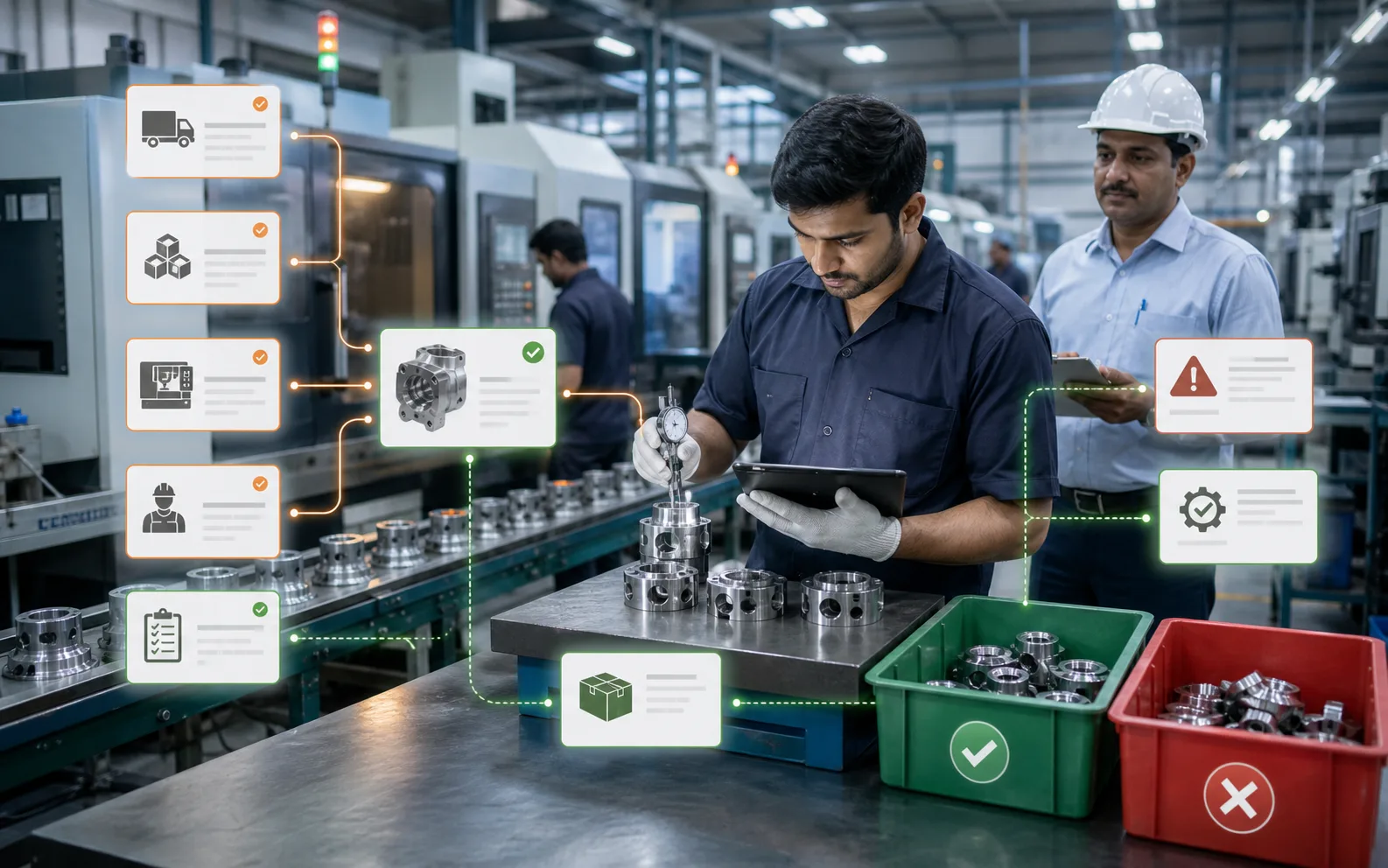
Detection is only the first step. The real value comes from what happens next.
A computer vision system can identify a missing label, wrong orientation, damaged surface, incorrect count, unreadable code, or assembly error. But the factory does not improve just because the system detects something.
The improvement happens when the detection triggers the right workflow: alert, reject, record, review, escalate, correct, and prevent recurrence.
If that workflow is unclear, the camera becomes a warning light that people eventually ignore.
Step 1: The system identifies the defect
The vision system captures an image or video frame and compares it against inspection rules or a trained model. Depending on the use case, it may check presence, position, count, colour, shape, text, barcode, surface condition, or assembly completeness.
The system then classifies the result. Usually this is pass, fail, or uncertain. A mature setup may also classify defect type: missing cap, wrong label, scratch, misalignment, damaged pack, undercount, overcount, unreadable code, or foreign object.
Defect classification is important because different defects require different actions.
Step 2: The operator is alerted
The operator should receive a clear alert. The screen should not require interpretation under pressure.
A good alert shows:
- What failed
- Where it failed
- Image evidence
- Defect category
- Time of detection
- Required action
- Whether production can continue
If alerts are vague, operators lose trust. If alerts are too frequent due to false rejects, operators may start bypassing the process. That is why early tuning and training matter.
Step 3: The defective item is handled
Depending on line design, the system may trigger an automatic reject mechanism, stop the line, mark the item for manual removal, or send an alert to a quality station.
For high-speed lines, automatic rejection may be required. For lower-speed or high-value products, manual review may be better. For safety-critical or customer-critical defects, the line may need to stop until the issue is resolved.
The correct action depends on risk. A missing date code on packaging may require immediate rejection. A cosmetic mark may require review. A repeated defect may require line stoppage.
Step 4: The event is recorded
A defect event should create a record. At minimum, the record should include:
- Product or SKU
- Batch or work order
- Line or machine
- Timestamp
- Defect category
- Image evidence or reference
- Operator action
- Accepted/rejected status
- Manual override if any
This record is what turns a one-time alert into usable quality data.
When vision is connected with AICAN Optiwise, defect events can support production tracking, quality review, inventory decisions, dispatch confidence, and management visibility.
Step 5: Quality reviews the evidence
The quality team should review defect trends, not only individual alerts. One rejected item may be normal. A sudden pattern is a signal.
Quality review should ask:
- Is this a real defect or a false reject?
- Is the defect increasing?
- Is it linked to a machine, supplier, operator, shift, or product variant?
- Is the same defect reaching final inspection or customer complaints?
- Does the inspection rule need adjustment?
- Does the process need correction?
This is where computer vision moves from detection to improvement.
Step 6: The system may update production records
If integrated, the defect result can update accepted quantity, rejected quantity, scrap, rework, batch status, or dispatch readiness.
For example, if a product fails final packaging inspection, the system can prevent it from being counted as dispatch-ready. If a defect is detected during assembly, the rejected part can be separated before it enters stock.
This reduces manual reconciliation and helps teams trust the numbers.
AICAN focuses on this connected manufacturing view because quality data is more useful when it moves with production data.
Step 7: Escalation happens if the defect repeats
A single defect may be handled locally. Repeated defects need escalation.
A good workflow defines escalation triggers:
- Defects exceed a threshold in a time window
- Same defect repeats after correction
- Critical defect appears even once
- False rejects rise above acceptable level
- Vision system becomes uncertain too often
- Rejection mechanism fails
Escalation may involve production, quality, maintenance, process engineering, or management. The system should make the pattern visible early enough to act.
Step 8: Root cause is investigated
The final goal is not to reject more parts. The goal is to prevent the defect from happening again.
Root-cause review may look at:
- Machine setting drift
- Tool wear
- Material variation
- Operator changeover process
- Supplier batch
- Fixture alignment
- Conveyor speed
- Lighting or camera condition
- Product design tolerance
Computer vision provides evidence, but people still solve the process problem.
What should not happen after a defect
Several weak workflows reduce the value of vision systems:
- The alert appears but nobody owns the action
- The item is rejected but not recorded
- Operators bypass the alert without reason
- Quality receives no evidence
- Defect data stays inside the camera software
- Repeated defects are treated as isolated events
- False rejects are ignored until operators lose trust
- Production and quality argue because records are incomplete
These are workflow failures, not vision failures.
Designing the defect workflow before go-live
Before installing the system, define the workflow on paper:
- What defects are critical?
- Which defects stop the line?
- Which defects trigger rejection?
- Who reviews uncertain cases?
- Can operators override results?
- How are overrides recorded?
- How are rejected items physically handled?
- What data goes into production or quality systems?
- What thresholds trigger escalation?
- Who owns tuning after go-live?
This preparation prevents confusion during production.
Where AICAN Optiwise fits
AICAN Optiwise helps convert defect detection into an operating workflow. Inspection results can be linked to production output, batch status, inventory movement, dispatch readiness, quality review, and leadership dashboards.
That means a defect does not disappear as a red box on a screen. It becomes part of a traceable action chain.
You can learn more about AICAN's manufacturing approach at About AICAN.
Founder's Note
Factories do not need more alerts. They need better action. A vision system should not merely say something is wrong. It should help the team know what failed, where it belongs, who must act, and whether the issue is repeating.
That is how inspection becomes improvement.
FAQs
1. Does computer vision automatically reject defective products?
It can, if the line is designed with a rejection mechanism and the defect type requires automatic action. Some cases still need manual review.
2. What happens if the system is unsure?
A good workflow should flag uncertain cases for operator or quality review instead of forcing every result into pass or fail.
3. Can defect images be stored for audit?
Yes. Many systems store rejected images or evidence references so quality teams can review issues later. Retention policy should be defined clearly.
4. Can defect detection update ERP or MES?
Yes. If integrated, accepted and rejected quantities, defect categories, and batch status can flow into production or quality systems.
5. What is the biggest mistake after deploying vision inspection?
Failing to define the action workflow. Detection without ownership, records, escalation, and root-cause review creates noise instead of improvement.

Related Posts

Kanban System | Optiwise
Learn how a Kanban system works in manufacturing, where it helps, where it fails, and how Optiwise connects Kanban signals with inventory, purchase, and production planning.
12 Jun 2026Read more →Erp In Operations Management | Optiwise
Learn how ERP improves operations management by connecting planning, inventory, purchase, production, quality, dispatch, finance, and reporting.
12 Jun 2026Read more →ERP for FMCG Companies in India
A practical guide to ERP for FMCG companies in India, covering distributor orders, batch tracking, expiry, inventory, production, schemes, costing, and reporting.
11 Jun 2026Read more →
Optiwise, Odoo, Acumatica and Business Central for Manufacturing
Compare manufacturing workflows in Optiwise, Odoo, Acumatica and Dynamics 365 Business Central. See what your factory can run in Optiwise.
11 Jun 2026Read more →