
What Training Do Our Staff Need for Computer Vision Systems?
Learn what operators, supervisors, quality teams, maintenance, and managers need to know before using computer vision systems on the factory floor.
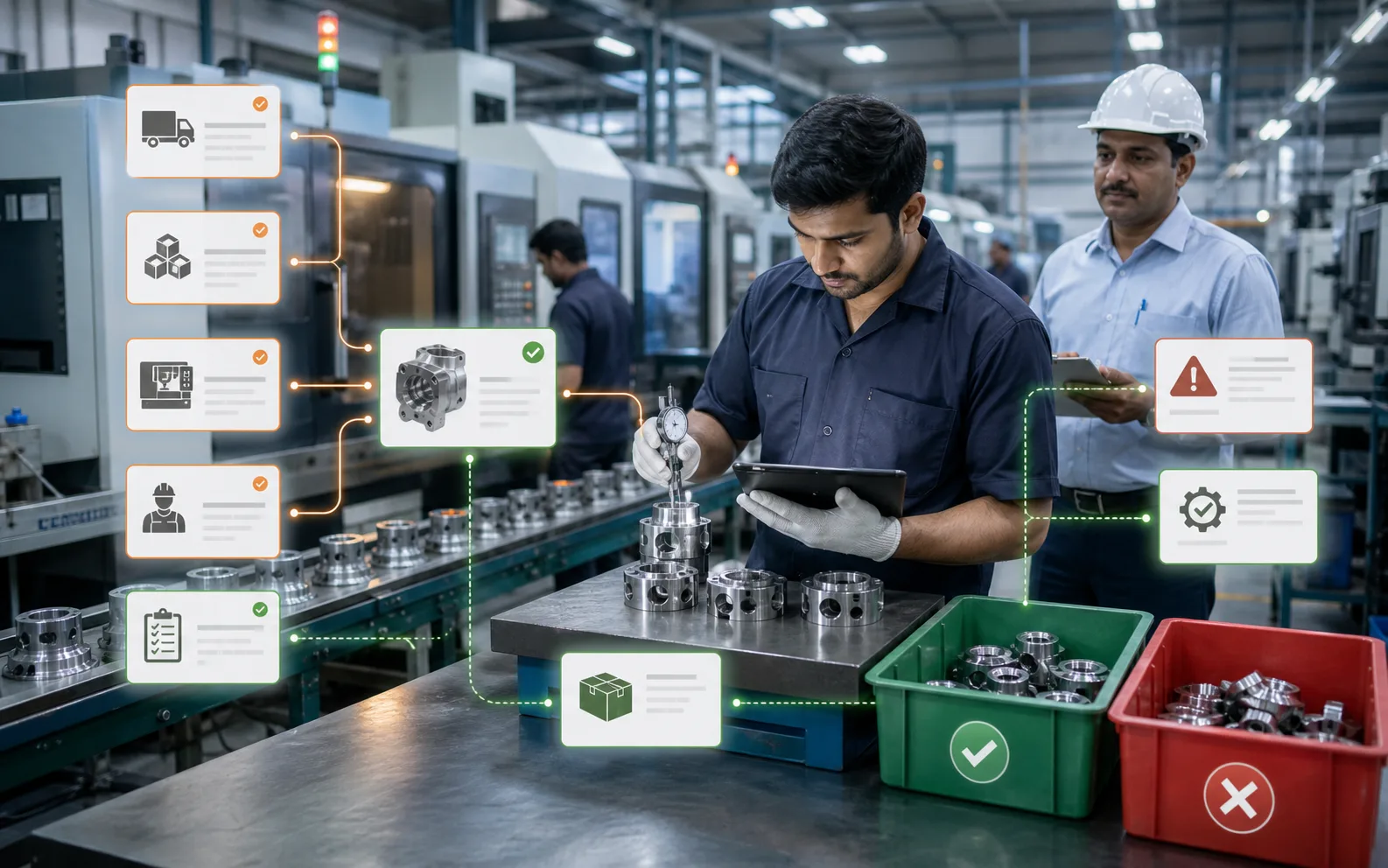
Computer vision training is not about teaching everyone AI. It is about teaching the right people the right actions.
A common fear in factories is that computer vision will be too technical for operators. In reality, a well-designed system should not require every operator to understand machine learning, camera calibration, or image processing algorithms.
What staff need is practical training: what the system checks, what a pass or fail means, what to do when a part is rejected, how to handle exceptions, and when to call support.
The goal is not to turn plant teams into software engineers. The goal is to make the inspection process trustworthy, repeatable, and easy to operate during normal production.
Different teams need different training
One mistake is giving the same training to everyone. Operators, quality engineers, maintenance teams, supervisors, and management use computer vision differently.
An operator needs to know how to run the line, read the screen, respond to reject alerts, clean the inspection area safely, and avoid disturbing the camera setup. A quality engineer needs to review rejected images, compare results with inspection standards, tune acceptance criteria where allowed, and document recurring defects. Maintenance teams need to understand camera mounting, lighting health, cable protection, enclosure cleaning, and basic hardware checks. Supervisors need to read shift-level trends and ensure the process is followed. Management needs to understand the reports, ROI, bottlenecks, and escalation points.
Good training respects these roles.
Operator training should be simple and visual
Operators should not have to interpret complex dashboards while parts are moving. Their training should focus on the real screen they will use on the shop floor.
A useful operator training session should cover:
- What the camera is checking
- Where the inspection zone begins and ends
- What a green, red, warning, or uncertain result means
- How rejected parts are physically handled
- What to do if the system keeps rejecting good parts
- What to do if a bad part passes through
- How to pause, restart, or escalate safely
- What not to touch without permission
The best training uses real examples from the factory. Show acceptable parts, defective parts, borderline cases, dirty lens examples, wrong placement examples, and product variant examples. When operators see real images, they trust the system faster.
Quality team training should go deeper
Quality teams need more than daily operation. They need to understand how the system defines a defect, what tolerance is being used, and how computer vision results compare with existing inspection standards.
For quality teams, training should include:
- How defect categories are configured
- How images are stored and reviewed
- How false rejects and false accepts are reported
- How sampling audits should continue after automation
- How to use inspection history during customer complaints
- How to document changes in inspection logic
- How to separate process issues from vision-system issues
This is important because computer vision can reveal hidden process variation. For example, if one shift shows higher label misalignment or one supplier batch creates more surface marks, the quality team should know how to investigate the cause instead of blaming the camera.
Maintenance training protects uptime
A vision system depends on stable hardware conditions. If the camera is bumped, the light intensity changes, the lens gets oily, or vibration loosens a bracket, inspection reliability can suffer.
Maintenance teams should be trained on:
- Camera and light mounting points
- Safe cleaning methods
- Cable routing and connector checks
- Power supply and network basics
- Environmental risks like dust, oil mist, heat, and vibration
- How to identify hardware-related inspection failures
- When recalibration is required
This does not mean maintenance teams must rebuild the model. But they should be able to identify obvious physical causes before production loses time.
Supervisors need process discipline training
Supervisors make computer vision successful by enforcing the process. If rejected parts are bypassed casually, if operators ignore alerts, or if inspection results are not reviewed, the system becomes decoration.
Supervisor training should cover:
- How to review line-level inspection trends
- How to check whether operators are following rejection workflows
- How to escalate recurring defects
- How to coordinate with quality and maintenance
- How to read basic performance indicators
- How to confirm production is not using manual shortcuts
This is where connected systems help. When inspection results flow into a platform like AICAN Optiwise, supervisors can connect defect patterns with production batches, machines, shifts, inventory, and dispatch decisions. That makes training more useful because teams are not just reacting to a camera alert; they are learning how inspection affects the wider operation.
Management training should focus on decisions, not screens
Managers do not need to know every screen. They need to know how computer vision changes decision-making.
Training for plant leaders should answer:
- Which defects are now automatically detected?
- What manual checks still remain?
- How much rework or rejection is being reduced?
- Which lines or SKUs need attention?
- Where is inspection data stored?
- What is the escalation path for major quality issues?
- How will ROI be reviewed after 30, 60, and 90 days?
Management should also understand that computer vision is not magic on day one. It improves through disciplined use, feedback, and process correction.
The first week after go-live matters most
Training should not be a one-time classroom session. The first week of live production is where habits are formed.
A strong rollout usually includes:
- Pre-go-live orientation
- Hands-on training on the actual line
- Shift-wise operator walkthroughs
- A quick reference sheet near the inspection station
- Daily review of rejected images during the first few days
- A clear channel for reporting issues
- Refresher training after early improvements
This is also the period when operators should be encouraged to speak up. They often notice practical issues faster than anyone else: glare, awkward part positioning, cleaning problems, reject-bin confusion, or screen messages that are unclear.
Keep the language local and practical
Training fails when it sounds like a software manual. Factory teams need direct language: what to do, what not to do, and who to call.
Use the plant's own terms for products, defects, machines, and rejection categories. If operators use local names for defects, include those names in training material. The system becomes easier to adopt when it feels like part of the factory, not an imported technology layer.
AICAN works with the idea that manufacturing software should support the people already running production. The best digital system is one that makes their work clearer, not heavier.
What should be documented
After training, create simple documentation:
- Operator SOP
- Reject handling process
- Cleaning and basic maintenance checklist
- Escalation matrix
- Quality review process
- Model or recipe change approval process
- Data retention and access policy
Keep it short enough that people actually use it. Long manuals often stay unread. A practical one-page SOP near the line can prevent many mistakes.
Where AICAN Optiwise fits
Computer vision training becomes stronger when the inspection system is connected to a broader operating platform. With AICAN Optiwise, inspection results can support production visibility, quality tracking, inventory decisions, dispatch confidence, and management reporting.
That means training does not end at, "This part is rejected." It extends to, "What does this rejection tell us about the line, shift, material, machine, and customer order?"
You can know more about the company and its manufacturing approach at About AICAN.
Founder's Note
Training is where technology becomes habit. A factory can buy the best camera, the best software, and the best dashboard, but if people do not know how to respond, the system will not create value.
The practical rule is simple: train each role for the decisions they need to make. Operators need clarity. Quality needs evidence. Maintenance needs uptime checks. Supervisors need discipline. Leaders need visibility.
FAQs
1. Do operators need technical knowledge to use computer vision?
No. Operators need practical workflow training, not deep AI training. They should understand results, reject handling, exceptions, cleaning rules, and escalation.
2. How long does training usually take?
Basic operator training can often be done in a few focused sessions, but stable adoption usually requires support during the first live production days.
3. Who should be trained first?
Start with supervisors, quality leads, and maintenance leads, then train operators shift by shift. This gives operators a clear support structure.
4. Should manual inspection stop immediately?
Not always. Many factories keep sampling checks during early adoption to validate the system, build confidence, and catch edge cases.
5. What is the biggest training mistake?
Treating training as a software demo. Staff need real production examples, clear actions, and role-specific responsibilities.

Related Posts

Will AI Create More Jobs Than It Destroys?
Explore whether AI will create more jobs than it destroys, with a practical view of manufacturing, automation, new roles, reskilling, and business transformation.
13 Jun 2026Read more →Manufacturing AI vs. Hiring More Workers
Compare manufacturing AI with hiring more workers and learn when automation, better systems, training, or additional people are the right answer.
7 Jun 2026Read more →
Will AI Replace My Production Planning Job?
Understand how AI affects production planning jobs, what tasks may change, and how planners can become more valuable with AI-supported scheduling and visibility.
6 Jun 2026Read more →Do I Need Special Skills to Use AI in Manufacturing?
Learn what skills manufacturing teams need to use AI, including process knowledge, data discipline, prompt clarity, review judgment, ERP understanding, and change readiness.
6 Jun 2026Read more →