
Can I Use ERP for Quality Control in Manufacturing?
Learn how ERP supports manufacturing quality control through inspection plans, incoming checks, in-process quality, rejection, rework, traceability, and audit records.

Can I Use ERP for Quality Control in Manufacturing?
Yes, ERP can be used for quality control in manufacturing, and for many factories it should be.
Quality cannot sit outside production.
If inspection records are on paper, rejection notes are in Excel, supplier complaints are in email, rework instructions are verbal, and final approval is separate from dispatch, quality becomes difficult to control. The factory may still inspect products, but the information does not flow through the business.
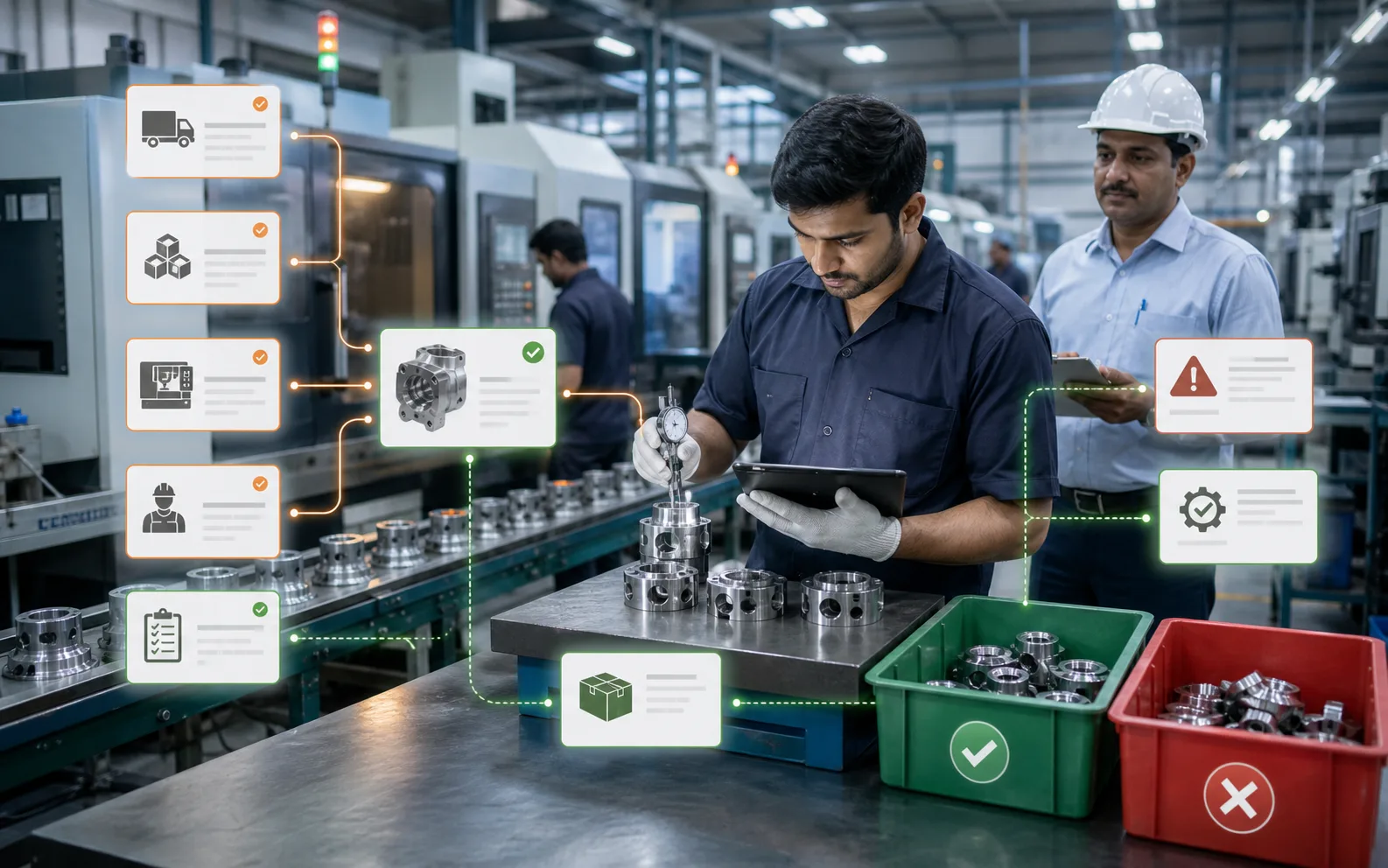
ERP helps by connecting quality control with purchase, inventory, production, work orders, suppliers, customers, and dispatch.
This is important because quality issues do not affect only the quality department. They affect production schedules, material usage, rework cost, delivery dates, customer trust, compliance, and profitability.
A manufacturing ERP does not replace quality judgement. It gives quality teams a stronger system for recording, tracking, analyzing, and acting on quality information.
Quick Answer
You can use ERP for quality control by setting up inspection plans, quality checkpoints, incoming material checks, in-process inspection, final inspection, rejection tracking, rework workflows, supplier quality records, traceability, nonconformance reports, and corrective action follow-up.
ERP helps answer:
- Which material needs inspection?
- Which work order is under quality hold?
- What quantity was rejected?
- Why was it rejected?
- Is rework required?
- Which supplier caused repeated issues?
- Which operation produces defects?
- Is the finished item approved for dispatch?
- Can we trace the material and production history?
Quality control becomes stronger when inspection data is connected to operations.
Why Quality Control Is Hard Without ERP
Many manufacturers inspect products but still struggle with quality control.
The issue is not always lack of inspection. The issue is lack of connected records.
Common problems include:
- Incoming inspection records are separate from purchase.
- Rejection is not linked to supplier performance.
- In-process defects are not linked to work orders.
- Rework is done but not costed.
- Quality hold stock is not visible in inventory.
- Final inspection is recorded manually.
- Customer complaints are not linked to production history.
- Corrective actions are discussed but not tracked.
- Audit evidence is difficult to retrieve.
ERP helps by making quality part of the workflow, not a separate afterthought.
ERP Supports Incoming Quality Inspection
Quality begins before production.
Raw material and components from suppliers may need inspection before they are released to stock or production.
ERP can support incoming inspection by linking purchase orders, goods receipt, supplier details, item specifications, certificates, and inspection results.
The system can show:
- Material received
- Supplier name
- Batch or lot number
- Inspection required or not
- Inspection checklist
- Accepted quantity
- Rejected quantity
- Quality hold status
- Supplier rejection reason
- Material certificate attachment
This helps prevent rejected or unapproved material from entering production.
It also creates supplier quality history.
ERP Supports In-Process Inspection
Quality should not happen only at the end.
In-process inspection helps catch problems earlier, before more material, labour, and machine time are wasted.
ERP can link inspection checkpoints to work orders or operations.
For example:
- First piece approval before batch production
- Dimensional check after machining
- Surface finish check after finishing
- Weight check during packing
- Temperature or process parameter check
- Assembly verification before final test
When inspection is linked to production, the system can show whether a job is cleared for the next operation or held for review.
This reduces the risk of passing defects downstream.
ERP Supports Final Inspection
Final inspection confirms whether finished goods are ready for dispatch.
ERP can make final inspection a required step before stock is released or dispatch is allowed.
The system can record:
- Inspection result
- Inspector name
- Date and time
- Accepted quantity
- Rejected quantity
- Rework requirement
- Customer-specific checklist
- Test certificate
- Photos or documents
- Approval status
This helps ensure that production completion and quality approval are not confused.
A job is not truly ready until quality is cleared.
ERP Tracks Rejection and Defect Reasons
Recording rejection quantity is not enough.
Manufacturers need to know why rejection happened.
ERP can categorize defects by reason, operation, machine, supplier, material, worker group, product, batch, or customer.
Examples of defect reasons:
- Dimensional mismatch
- Surface defect
- Wrong material
- Process parameter issue
- Assembly error
- Packaging damage
- Supplier defect
- Machine setting issue
- Drawing mismatch
- Contamination
When rejection reasons are recorded consistently, the company can identify patterns.
This helps quality move from inspection to prevention.
ERP Supports Rework Control
Rework should not disappear into production.
It consumes labour, machine time, material, and schedule capacity. It may also affect delivery and margin.
ERP can track rework separately.
A rework workflow may include:
- Rework decision
- Rework instruction
- Responsible department
- Quantity to rework
- Material needed
- Labour or machine time
- Re-inspection
- Approval
- Cost impact
This helps manufacturers understand the real cost of poor quality.
ERP Supports Quality Hold and Quarantine Stock
Rejected or unapproved material should not be accidentally used.
ERP can classify stock as accepted, under inspection, rejected, quarantine, or quality hold.
This prevents stores or production from using material that has not been cleared.
For industries with strict traceability or compliance needs, this is critical.
ERP Supports Supplier Quality
Supplier quality affects production quality.
ERP can track supplier-related rejection and delivery performance.
This helps purchase teams make better decisions.
The system can show:
- Supplier rejection history
- Incoming inspection failure rate
- Late deliveries
- Certificate availability
- Corrective action status
- Approved vendor status
- Purchase price versus quality impact
This helps the business evaluate suppliers beyond price.
ERP Supports Customer Complaints
Quality control does not end at dispatch.
If a customer reports an issue, ERP can help trace the product back to production, material, inspection, supplier, and dispatch records.
This helps answer:
- Which batch was shipped?
- Which work order produced it?
- Which material was used?
- Which supplier provided it?
- What inspection result was recorded?
- Were there similar complaints?
- What corrective action was taken?
This is much harder when records are scattered.
ERP Helps With Compliance and Audits
Manufacturers working with ISO, AS9100, automotive, food, medical, or customer-specific standards need quality evidence.
ERP can help organize records for audits:
- Inspection records
- Material traceability
- Supplier certificates
- Rejection reports
- Rework records
- Corrective actions
- Work order history
- Quality approvals
- Customer complaints
This does not guarantee compliance by itself, but it makes evidence easier to manage.
ERP Quality Data Supports Continuous Improvement
Quality control should lead to improvement.
ERP quality reports can show:
- Rejection by product
- Rejection by operation
- Rejection by supplier
- Rework cost
- Quality hold aging
- Customer complaint trends
- Defect frequency
- Corrective action closure time
These insights help teams reduce repeat issues.
Without data, quality discussions often become opinion-based. ERP makes them evidence-based.
Where AICAN Optiwise Fits
AICAN Optiwise supports quality control as part of connected manufacturing operations.
Optiwise brings production, inventory, purchase, work orders, quality, shop-floor tracking, IoT, reports, and AI agents into one system.
For quality control, Optiwise can help manufacturers with:
- Incoming and production-linked quality checks
- Rejection and rework tracking
- Work order traceability
- Inventory status visibility
- Supplier quality visibility
- Quality reports
- Shop-floor status
- AI-generated alerts and summaries
- IoT-linked production context where needed
The goal is to make quality visible inside the operating flow, not hidden in separate files.
Explore AICAN Optiwise and About AICAN.
Practical Example
A manufacturer receives material from a supplier. Without ERP, stores receives it, quality checks it on paper, and production later uses it. If defects appear, the team searches records manually.
With ERP, goods receipt triggers incoming inspection. Accepted quantity moves to usable stock. Rejected quantity goes to quality hold. Supplier rejection is recorded. If the material enters production, the work order records the batch. If finished goods later fail inspection, the system can trace the issue back.
Quality becomes connected.
FAQ
Can ERP manage quality control?
Yes. Manufacturing ERP can manage inspection plans, incoming quality, in-process checks, final inspection, rejection, rework, quality hold, supplier quality, and traceability.
Can ERP stop rejected material from being used?
Yes, if inventory statuses such as under inspection, rejected, quarantine, or quality hold are configured properly.
Can ERP track defect reasons?
Yes. ERP can record rejection quantity and defect reasons by product, operation, supplier, machine, batch, or work order.
Can ERP help with audits?
Yes. ERP can organize quality records, inspection history, traceability, nonconformance, rework, and corrective action evidence for audits.
Does ERP replace quality inspectors?
No. ERP supports quality inspectors by organizing data and workflows. Human judgement is still needed for inspection, root cause analysis, and corrective action.
How does AICAN Optiwise support quality control?
AICAN Optiwise connects quality control with production, inventory, purchase, work orders, shop-floor tracking, IoT, reports, and AI agents.
Founder’s Note
Quality should not be a department that catches problems at the end. It should be part of how the factory runs.
When quality data is separated from production and purchase, problems repeat. When quality is connected to work orders, suppliers, material, and rework, the company can learn.
That is the quality mindset we want Optiwise to support: practical, traceable, and improvement-focused.
Final Thought
ERP can be a powerful quality control system for manufacturers when it connects inspection, rejection, rework, traceability, suppliers, and production.
The value is not just better records. The value is better decisions.
Quality improves when the factory can see where defects come from and act before they repeat.

Related Posts
How Sensors Help With Quality Control in Manufacturing
Explain quality-control sensors through measured property, tolerance, calibration evidence, sampling, false alerts and human disposition.
11 Jun 2026Read more →Track Quality Issues in ERP: Inspection to Disposition
Follow an inspection issue through stock hold, approved rework or scrap, quantity reconciliation and corrective-action checks, with a 50-part example.
28 May 2026Read more →How Can IoT Improve My Quality Control Process?
Learn how IoT improves quality control by connecting inspection data, batch traceability, machine conditions, process parameters, and corrective action.
13 May 2026Read more →
Predictive Maintenance Software: A Growing Manufacturing Tech Career
Learn why predictive maintenance software is creating manufacturing tech careers in IoT, analytics, AI, machine data, and ERP-connected operations.
3 May 2026Read more →