
How Much Can Optiwise Save Your Factory?
See a worked Optiwise savings example with time returned, stock carrying costs, software and optional IoT. Use our free calculator for your own factory ROI.

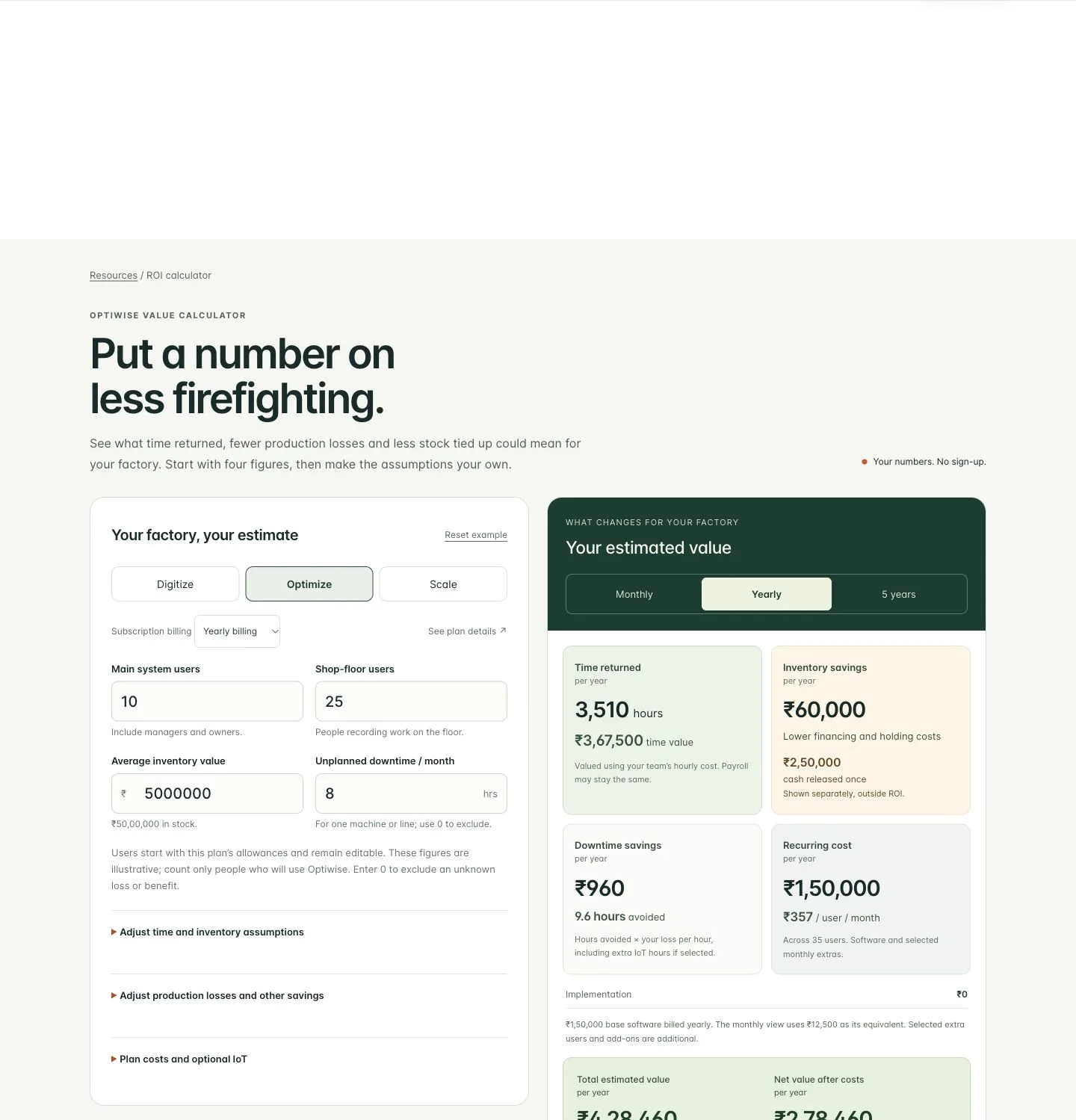
Estimate what Optiwise could save by separating the hours your team gets back, operating losses you avoid and cash released from excess stock. Our free calculator puts those figures beside your subscription and selected hardware costs, with monthly, yearly and five-year views.
Start with your factory's main users, shop-floor users, inventory value and unplanned downtime. Then adjust the assumptions behind the estimate. Open the Optiwise ROI calculator to work through your own figures without signing up.

Start with the work you want to stop chasing
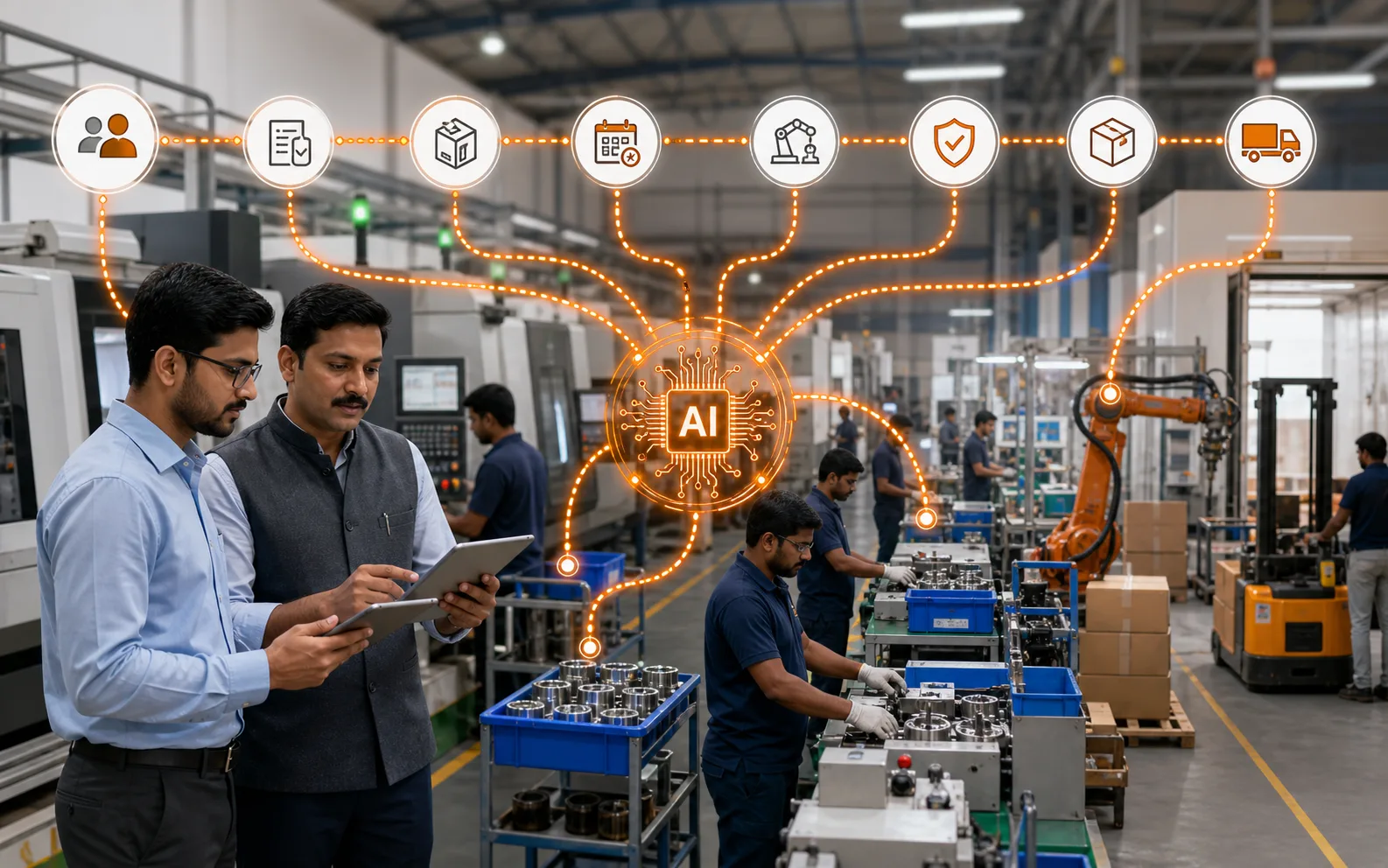
Optiwise is our AI-native operating system for manufacturing. Its Manufacturing Intelligence layer connects the records behind daily factory questions. You can ask about an order or supplier history, follow the relevant record and carry out supported actions within your permissions. Your teams work on the same quotations, materials, purchasing, production and quality flow.
For example, your buyer has ordered 100 pieces and 60 arrive. Stores records the partial receipt against the purchase order. If inspection is required, those pieces remain subject to the quality decision before they become usable stock. Production can follow the shortage and the pending release instead of treating an arrival message as permission to issue material.
The possible value comes from the work that changes: fewer calls to reconstruct the receipt, less repeated entry and an earlier decision about the remaining 40 pieces. The calculator lets you price that opportunity. Actual savings require your team to use the records and act on the exception.
A worked example with every assumption visible
Take an illustrative factory with 10 main users, including one manager, and 25 shop-floor users. It holds ₹50 lakh in average inventory and records eight hours of unplanned downtime per month on one machine or line. This is an example for the calculation, not a customer result.
Assume 26 working days of eight hours each. Each of the nine office users gets back 30 minutes a day, each shop-floor user gets back 15 minutes, and the manager gets back half an hour. The manager is already one of the 10 main users, so we count that person once.
| Part of the estimate | Working | Monthly value |
|---|---|---|
| Office time | 117 hours at ₹25,000 monthly employment cost per person | ₹14,062.50 |
| Shop-floor time | 162.5 hours at ₹18,000 monthly employment cost per person | ₹14,062.50 |
| Manager time | 13 hours at ₹40,000 monthly employment cost | ₹2,500 |
| Inventory carrying cost | ₹50 lakh × 5% reduction × 24% annual carrying cost ÷ 12 | ₹5,000 |
| Downtime | 8 hours × 10% reduction × ₹100 loss per hour | ₹80 |
| Total | 292.5 hours returned, plus the modelled operating and carrying savings | ₹35,705 |
Employment cost is divided by 208 working hours to value each hour. The ₹30,625 time component represents capacity returned to your team. Your payroll may stay exactly the same; the benefit could be more orders handled, earlier follow-up or less work carried into the evening. Count a cash saving only when spending actually falls.
The example's ₹100 loss per downtime hour is an editable input. Replace it with your own lost contribution and avoidable costs. Using total sales per hour can overstate the loss. Scrap, emergency maintenance, overtime and extra machine-monitoring benefits start at zero here because this example has no separate evidence for them.
Subtract the costs before calling it ROI
Our Optimize software subscription is ₹1,50,000 with yearly billing, equivalent to ₹12,500 a month. Optiwise implementation costs ₹0. This example uses the model's included user allowances and excludes optional add-ons, hardware and taxes; your quote defines the users and capabilities you select.
Spread across the example’s 35 main and shop-floor users, the subscription averages about ₹357 per user per month. This is the average cost for this scenario; extra-user pricing follows the selected plan.
For one equivalent month, ₹35,705 benefit − ₹12,500 software = ₹23,205 estimated net value. Over 12 identical months, ₹4,28,460 benefit − ₹1,50,000 cost = ₹2,78,460 estimated net value. Return on investment is net value divided by cost: ₹2,78,460 ÷ ₹1,50,000 × 100 = 185.64%.
That percentage includes the employment-cost value of returned time. It is not a statement that your bank balance will increase by ₹2,78,460. Keep a separate cash-flow view for actual wages, supplier payments, avoided spending and subscription payment dates.
The five-year view repeats the same assumptions for 60 months. It gives ₹21,42,300 benefit, ₹7,50,000 software cost and ₹13,92,300 estimated net value. It adds no growth or compounding and makes no prediction about future prices. Revisit the estimate as staffing, volumes, adoption and costs change.
Keep inventory cash separate from monthly savings
A 5% reduction in ₹50 lakh inventory could release ₹2,50,000 once. The calculator shows that amount separately and excludes it from recurring benefit and ROI. The monthly inventory line counts the assumed cost of holding that stock, not the stock's full value again.
Review which carrying costs would actually fall. Interest may change with borrowing; rent may remain fixed even if a rack is empty. The Australian Government's cash-flow guide also links stocktakes and inventory management to freeing cash. It does not establish a 5% reduction or 24% carrying rate for your factory; those remain your editable scenario.
In our inventory workflow, follow stock by store and movement, review low or excess quantities and check open purchase supply. When stock is awaiting quality release or held by a subcontractor, keep that status visible. A smaller stock figure helps only if the required material remains available for the next job.
Add IoT only when its costs and extra benefits belong
Optional Internet of Things (IoT) hardware connects machine signals to Optiwise. Its cost changes the calculation. The displayed Optimize device reference is ₹3,00,000 once. Adding it with no extra benefits changes the first-year example to ₹4,50,000 cost and minus ₹21,540 net value, or minus 4.79% ROI. Hardware does not become worthwhile merely because the software example is positive.
Use our IoT machine monitoring for the relevant runtime, downtime, load or other supported machine data. Enter only additional avoided losses attributable to that scope. If the software downtime estimate already covers a stoppage, do not add the same recovered hour under IoT. Add any quoted recurring support and selected add-ons, and consider hardware replacement separately for a longer decision.
Replace the estimate with observations
Choose a repeatable task, such as checking material readiness for an order. Record how long the planner spends checking usable stock, pending receipts and quality-held material today. After the team starts working in Optiwise, observe the same task and record corrections or missing entries as well as the time spent.
For operating losses, compare like periods and workloads. Keep the incident, cost basis and action that changed the result. If downtime falls because demand fell, that is not evidence of an Optiwise saving. If overtime spending falls while accepted output holds, retain the payroll and production records that support it.
Questions about the savings estimate
Does the calculator guarantee savings?
No. It models your inputs and assumptions. Measure adoption, time and actual operating costs before treating the estimate as an achieved result.
Can I use it without adding IoT?
Yes. The starting example is software-only. Optional hardware and its incremental benefits are included only when you select them.
Is monthly ROI the same as monthly cash flow?
No. With yearly billing, the monthly view uses an annual subscription divided by 12. Your annual bill is still paid according to your agreement, and the time-value estimate may not reduce cash spending.
You can use the calculator without giving us your details. To download a personalised savings report, enter your company name and contact number. We receive those details and your calculator figures so we can help you review the estimate. Your PDF includes the assumptions, costs and a link to book a demo.
Calculate your factory's estimate, then bring one order, its material exception and your numbers to a walkthrough. We can follow the work behind the estimate in Optiwise.
Related Posts
Optiwise Optimize Savings: What Shop-Floor Follow-Ups Are Worth
Test whether less shop-floor chasing can cover Optimize: a floor-only example, 13.3-minute break-even, job records, costs and editable calculator inputs.
2 Nov 2026Read more →
Left and Right Brackets: Build the Correct Assembly Kit
Build complete assembly kits with the right left/right brackets and revision. Work through usable stock, held parts and a wrong-bin exception in Optiwise.
31 Oct 2026Read more →Keep Part IDs Readable After Galvanizing
Keep galvanized parts tied to the right job and drawing. Follow a six-frame return, unreadable IDs and revision mismatches through Optiwise.
31 Oct 2026Read more →A Manufacturing Alternative to SAP: Optiwise
Run your factory in Optiwise, a manufacturing alternative to SAP Business One with connected operations, AI agents and no-code workflows.
14 Jun 2026Read more →