
Splitting a Supplier Lot Across Containers Without Double Counting
Follow a supplier lot through two container splits. Reconcile actual stock, retire the emptied tote and keep held pieces visible in Optiwise.


Give each active container its own identifier and keep it linked to the original supplier lot. When a tote is emptied, close its remaining balance and record the quantities in the receiving containers.
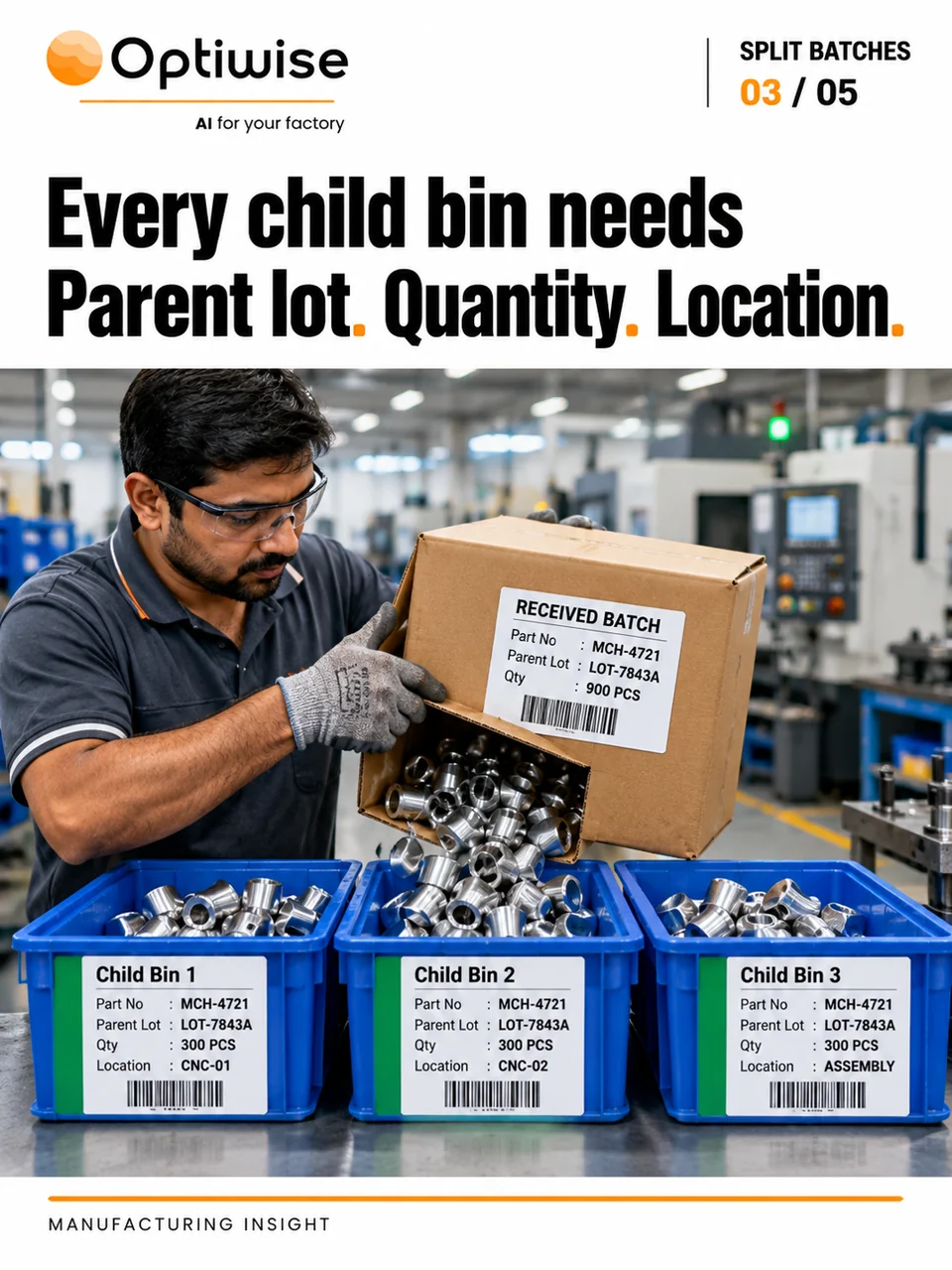
Keep the receipt and the containers separate
A supplier lot tells you where the parts came from. A container identifier tells you which tote to find and count. If the lot is divided between three locations, stores needs the item, source lot, actual count and location on each tote’s record. Keep the inward reference so a quality reviewer can find the supplier evidence even after the original carton is empty.
GS1’s traceability event guide illustrates how packing and unpacking events preserve quantities and links between identified objects. For an internal split, use the identifiers your stores team can match to the physical containers and retain the original lot link across every move.
Reconcile the second split at the bench
Suppose you receive 120 pieces from lot L18. Stores divides them into A with 50, B with 40 and C with 30. A supervisor later empties B into D with 25 and E with 15. Record B as empty in the split record while preserving its earlier movement history. The four active containers now hold 50 + 30 + 25 + 15 = 120 pieces.
If B still appears with 40 on the active list, the same pieces show up twice and the total becomes 160. Compare the outgoing count from B with the counts received into D and E before closing the move. If the received counts fall short, keep the difference open for the person who can inspect the containers and movement record.
Now suppose quality holds seven pieces from D. If the other pieces have been released, there are 120 physically present and 113 eligible to issue. Keep the seven linked to D and their actual hold location. A count for the whole lot should still find them, while a planner needs to see that they are unavailable.
Connect the split to the stock movement in Optiwise
Use our inventory workflow to keep the item, lot, inward, barcode and store movement together. When your team needs to follow successive splits, we configure a linked record for the source container, receiving containers, actual quantities, movement reference and person recording the split. Post the stock transaction through the agreed inventory workflow and use its reference to reconcile the container register.
If a label falls off E, set its 15 pieces aside for the responsible quality review and record the last reliable move. Compare the physical evidence with the split record before printing a replacement. Once identity is established, attach the new label to the existing container history so an old and a new sticker cannot both count as active stock.
If you’re deciding when to move partial output to the next operation, work through our transfer-batch timing example.
Can all the totes carry the same supplier lot?
Yes. Keep the shared lot for source tracing and give each active tote a distinct identifier when it has its own quantity, location or availability status.
Bring one lot that your stores team splits more than once to a factory walkthrough. We’ll follow the receipt, moves and quality hold together. Optiwise implementation costs ₹0. Subscription, optional add-ons and IoT hardware are separate.
Related Posts
Food Rework Traceability From the Tub to the Receiving Batch
Trace an approved food rework tub into the receiving batch. Record what was issued, used, returned and held with a worked quantity example.
4 Nov 2026Read more →How to Trace a Regrind Bag Before It Reaches the Hopper
Trace a recovered resin bag through weighing, job issue and actual hopper entry. Resolve a missing grade or source lot before approving reuse.
4 Nov 2026Read more →Solder Paste Tracking: Keep Each Jar’s Storage and Opening History
Track solder-paste jars beyond the expiry date. Keep storage removal, opening, job issue and returned paste linked, with a worked timing example in Optiwise.
3 Nov 2026Read more →Chemical Batching: Verify the Ingredient Before Charging
A correct weight can hide the wrong ingredient. Follow approved material, actual lots, weighing evidence and exceptions in an Optiwise batch workflow.
3 Nov 2026Read more →