
Keep Part IDs Readable After Galvanizing
Keep galvanized parts tied to the right job and drawing. Follow a six-frame return, unreadable IDs and revision mismatches through Optiwise.


Keep a fabricated part linked to its job and drawing through galvanizing, then check that identity before releasing the return. In Optiwise, we connect the outside-work order, material dispatch, piece or batch reference and inspection record so your team can resolve a missing or mismatched ID against the original work.
An ordinary dispatch sticker may identify a frame when it leaves your gate and disappear during hot-dip galvanizing. A handwritten job number can also survive physically while referring to the wrong drawing revision. Agree how the part will be identified before sending it out, and retain the expected identity in the dispatch record.

Choose an ID that suits the galvanizing process
The American Galvanizers Association’s marking guidance distinguishes identification that is removed during cleaning from identification needed after the coating process. It describes suitable metal tags and permanent marking options. Water-soluble dispatch markings can disappear during cleaning; oil-based marking products can interfere with coating.
Tell the galvanizer whether you need a job reference, an individual piece reference or both after return. Agree the marking method, location and attachment with the galvanizer and the responsible fabrication engineer. Permanent marking must suit the member and its engineering requirements. A normal barcode sticker printed for stores is not automatically suitable for immersion, cleaning or heat.
Keep the agreed instruction and a drawing or photograph with the outside-work record. Where the identifier must remain readable at the customer’s site, include that requirement in the handover. A tag carrying only a shared job number cannot distinguish individual pieces when the job needs piece-level inspection history.
Connect the physical mark to the work you send
Create the subcontract service order for the galvanizer and operation in Optiwise. Use the linked delivery challan to record the material sent, quantity and unit. Our subcontracting workflow keeps the dispatches, receipts and material still with the vendor in the same service context.
For a job requiring individual identity, use the relevant piece or production barcode record and retain its job, item and drawing reference. Configure the additional identification fields and inspection form around the handover you agreed. The person preparing the dispatch checks the physical mark against that record; printing an ID does not establish that the correct mark was attached.
A useful dispatch line might read: job JOB-0273, frame F04, drawing D, service order SO-118 and challan DC-142. Record who checked the mark and which instruction the processor received. The stock identifier and movement history in our inventory workspace give stores a route back to the original inward and related records.
Check six frames without guessing the missing identities
Consider an illustrative job with six frames, F01 to F06, all required to drawing revision D. Five frames arrive back. Receiving records the five physical returns, then checks their identities against the dispatch.
| Frame | Observed return | Next action |
|---|---|---|
| F01–F03 | IDs and drawing references match | Continue the required inspection |
| F04 | Readable tag maps to revision C | Refer the revision mismatch to engineering |
| F05 | ID is unreadable | Hold the identity question for resolution |
| F06 | Not returned | Follow up the outstanding piece with the galvanizer |
The five received frames are not five automatically accepted frames. Three have matched identification and still need the specified quality checks. Two have separate exceptions, and one frame remains outside. Do not assign the unreadable frame the only unused number just to close the list.
For F04, engineering needs the actual drawing and production evidence before deciding whether the frame is correct, needs further work or must be rejected. For F05, preserve the processor’s evidence and the physical item while the responsible team resolves identification. Appearance or matching dimensions alone may not reconstruct the required history.
Keep the receiving exception visible until it is resolved
Use the inward, receipt and configured quality workflow to retain the received quantity, identity check, supporting attachments and decision. Set the relevant forms and inspection requirements for your factory. The inspector records the result; the authorised person decides the disposition. Receiving should not make an unidentified piece available to the next job by recording a guessed identity.
If a piece goes back for corrective work, record that outward movement with the original service and exception reference. Retain the first receipt and inspection history. The general outside-processing return example explains how returned, held and re-dispatched quantities affect separate balances.
Questions about galvanizing identification
Can one job number identify every frame?
It can identify the shared job, but individual-piece traceability needs a distinct piece reference when your inspection or customer requirements demand it. Agree the tracking level and physical marking before dispatch.
Does a readable tag prove the returned frame is acceptable?
No. Match the tag to the expected item, job and drawing, then complete the required inspection. A readable tag can still belong to an old revision or the wrong piece.
Bring one fabrication drawing, an outside-work dispatch and an identification exception to an Optiwise walkthrough. We will follow the piece from the job record through receipt and the next quality decision.
Related Posts
Optiwise Optimize Savings: What Shop-Floor Follow-Ups Are Worth
Test whether less shop-floor chasing can cover Optimize: a floor-only example, 13.3-minute break-even, job records, costs and editable calculator inputs.
2 Nov 2026Read more →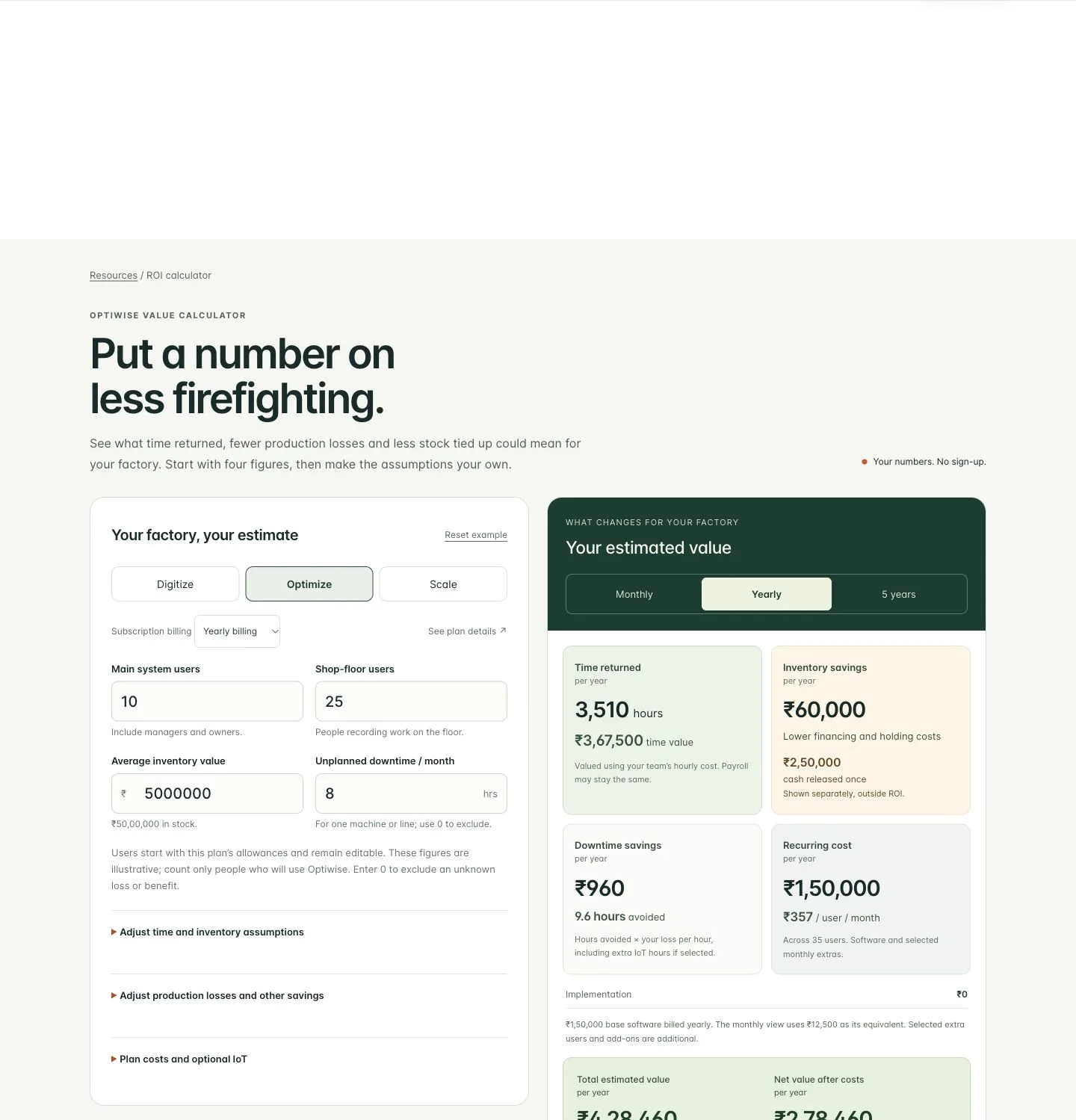
How Much Can Optiwise Save Your Factory?
See a worked Optiwise savings example with time returned, stock carrying costs, software and optional IoT. Use our free calculator for your own factory ROI.
2 Nov 2026Read more →
Left and Right Brackets: Build the Correct Assembly Kit
Build complete assembly kits with the right left/right brackets and revision. Work through usable stock, held parts and a wrong-bin exception in Optiwise.
31 Oct 2026Read more →A Manufacturing Alternative to SAP: Optiwise
Run your factory in Optiwise, a manufacturing alternative to SAP Business One with connected operations, AI agents and no-code workflows.
14 Jun 2026Read more →